NeoArchNeoArch
FeaturesDockerDownloadCommunityReviewsView on GitHub
v2.0.0-beta — Open Source

Modern Package Manager
for Arch Linux

Manage packages from pacman, AUR, Flatpak, and npm — all in one beautiful dark-themed interface. With built-in Git manager, Docker manager, snapshot integration, and a powerful plugin system.
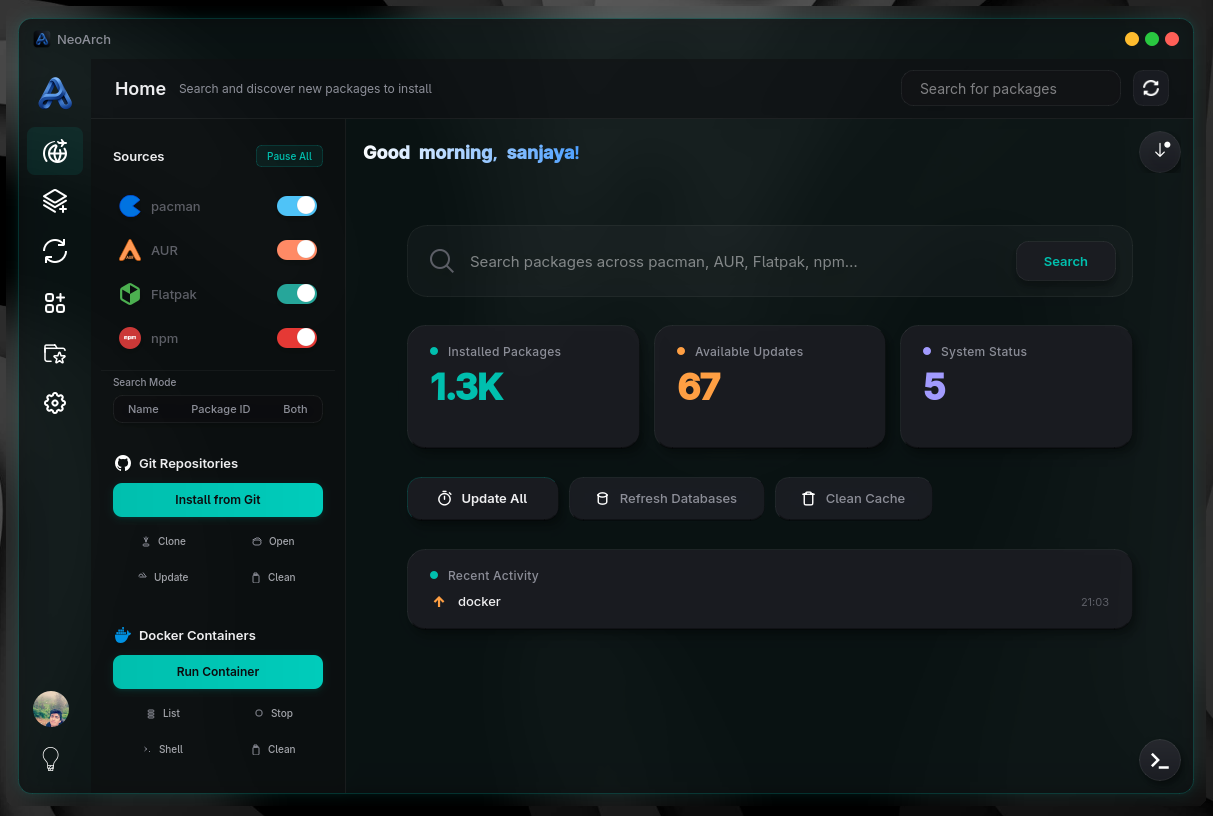
NeoArch Dashboard Screenshot

Everything you need to manage your system

NeoArch brings together all the tools Arch Linux users need in one cohesive, modern interface.

Multi-Source Management
Unify pacman, AUR, Flatpak, and npm under one interface. Search, install, update, and remove packages from any source seamlessly.
Bundle System
Create portable package bundles for easy deployment. Export, import, and share bundles with the community.
Git Manager
Clone, build, update, and clean Git projects with a click. Supports Cargo, autotools, Makefile, and custom build commands.
Docker Manager
Pull, run, list, stop, and clean containers with port mappings, volumes, env vars, GPU passthrough, and restart policies.
Snapshot Integration
Automatic Timeshift snapshots before updates. Restore your system to a known good state if anything goes wrong.
Plugin System
50+ built-in plugins with an extensible Python hook system. Browse and install community plugins from the store.
Install Local Packages
Install .pkg.tar.zst, .deb, .rpm, .AppImage, and Flatpak local files with a single click. Auto-detects package type and resolves dependencies.
Cloud Sync
Sign in with Supabase to sync bundles, share plugins, and access community features across devices.
Scheduled Updates
Set and forget with configurable auto-update intervals, auto-refresh, and optional snapshot-before-update.
Docker Integration

Container Management, Built In

Manage Docker containers directly from NeoArch. No more switching between terminal windows.

Pull & Run

Pull images from any registry and spin up containers with a single click.

Stop & Remove

Stop running containers and clean up unused resources instantly.

Port Mappings

Configure host-to-container port mappings through an intuitive UI.

Restart Policies

Set auto-restart, GPU passthrough, environment variables, and volume mounts.

Cleanup

Remove dangling images, stopped containers, and unused volumes in bulk.

Get Started

Choose your preferred installation method.

Recommended
AUR (yay)
Install from the Arch User Repository
yay -S neoarch-git
AUR (paru)
Clone and run from source
paru -S neoarch-git
From Source
Clone and run from source
git clone https://github.com/Sanjaya-Danushka/Neoarch.git
cd Neoarch && pip install -r requirements_pyqt.txt
python Neoarch.py

Requirements

Arch Linux (or Arch-based distro)
Python 3.8+
PyQt6
Administrative privileges
Git (for source install)

Screenshots

See NeoArch in action

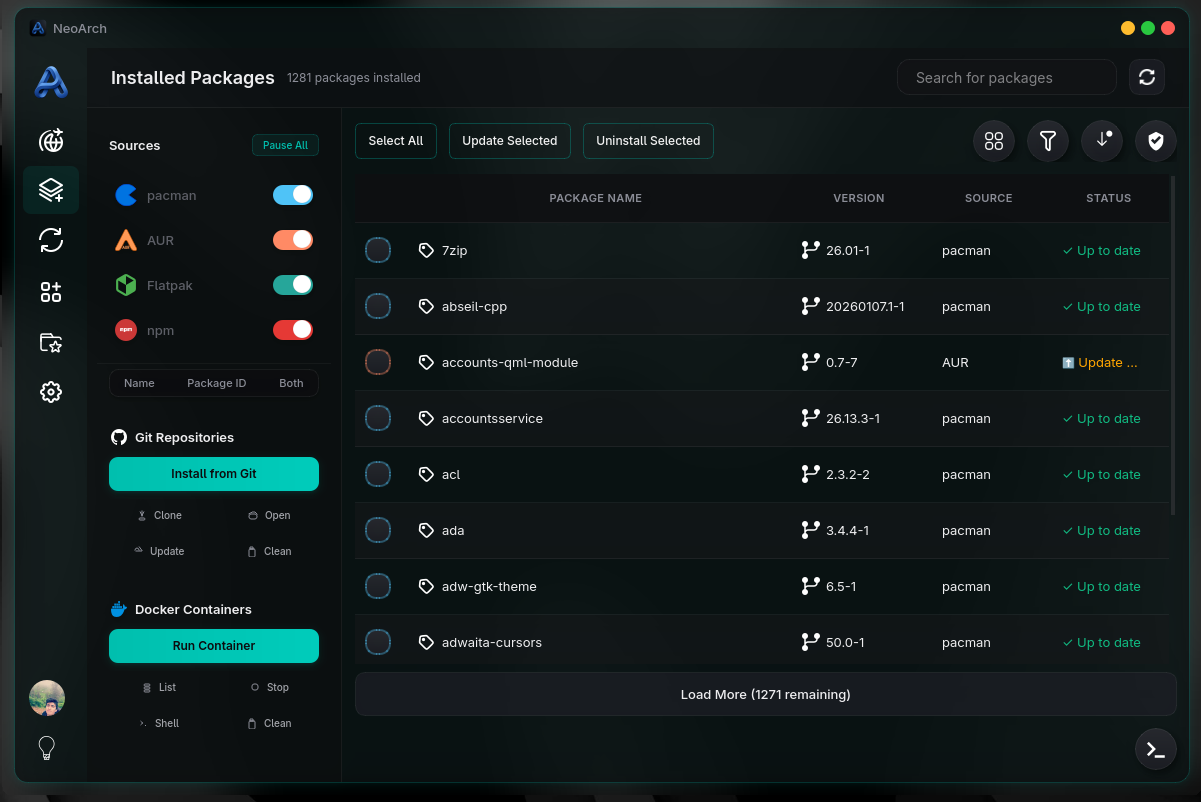
Installed Packages

Installed Packages

What Users Say

Hear from the NeoArch community.

Leave a Review

No reviews yet. Be the first!

Built by a Developer, for Developers

NeoArch is crafted with passion by Sanjaya Danushka, a Full-Cycle DevOps & Software Engineer from Sri Lanka.

Sanjaya Danushka

Full-Cycle DevOps & Software Engineer | Open-Source Contributor | Author of “The Art of Software Engineering” | ACE Multicloud Network Associate

Badulla District, Sri LankaOpen to work20K+ followers
Open Source Developers CommunityAsia e University#OpenToWork

Author of “The Art of Software Engineering”